CONTROL
Choose where your AI works.
Local when you need it. Cloud when you choose it. The same rules across your connected apps.
 LiteGate

HOW IT WORKS
Your apps send requests to LiteGate. You choose which models they can use. Local models keep running in their own engines.
LiteGateYour rules & permissionsLocal when you need it. Cloud when you choose it. The same rules across your connected apps.
Ask a compatible cloud model for help while LiteGate masks the details you want to protect.
Recover earlier decisions and relevant history, even when you switch to a model with a smaller window.
START SIMPLE
A setup guide connects the steps: choose local or cloud, connect a provider, select a model and try Chat. Resume whenever you need it.
Both interfaces keep Manual, Local, Cloud and Auto operation modes. Connecting another application is available from the setup guide.
Explore the setup guide →INSIDE LITEGATE
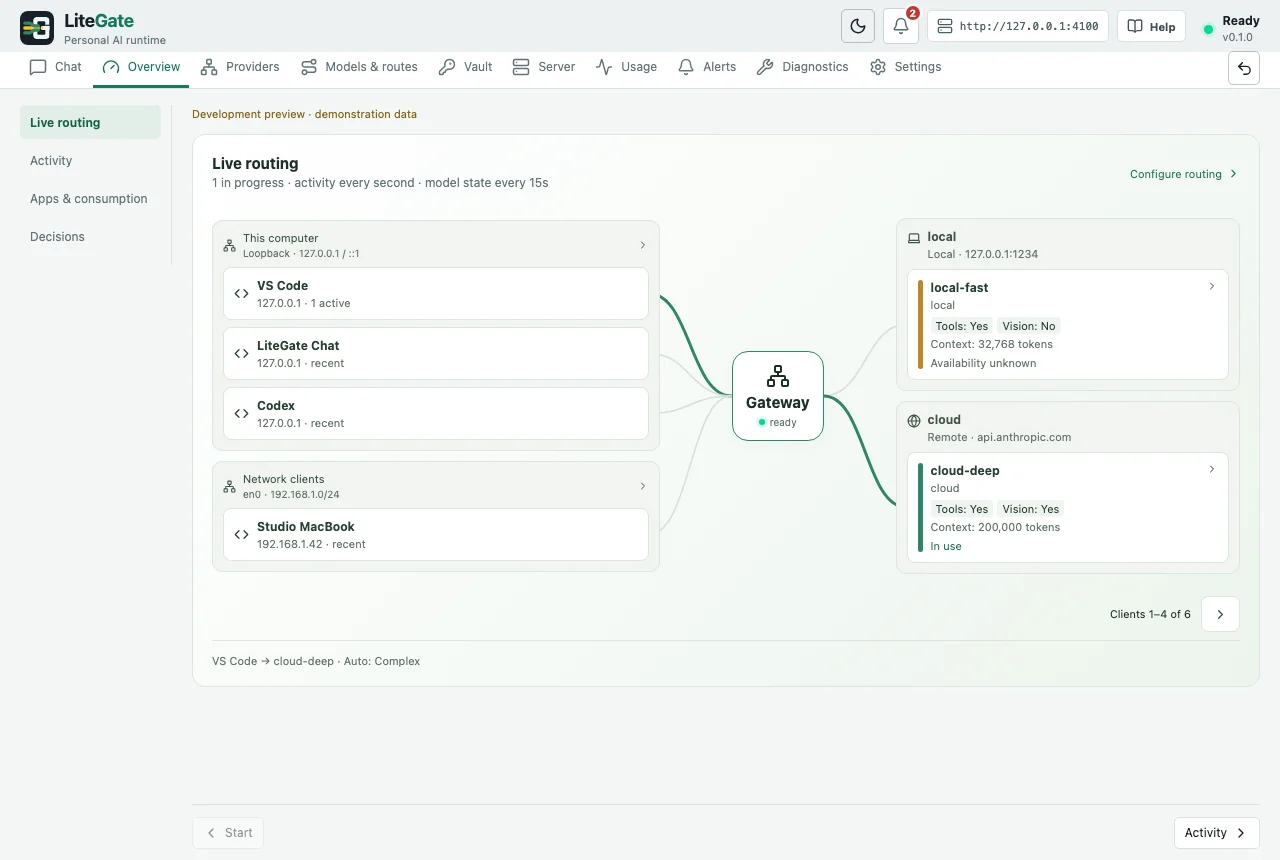
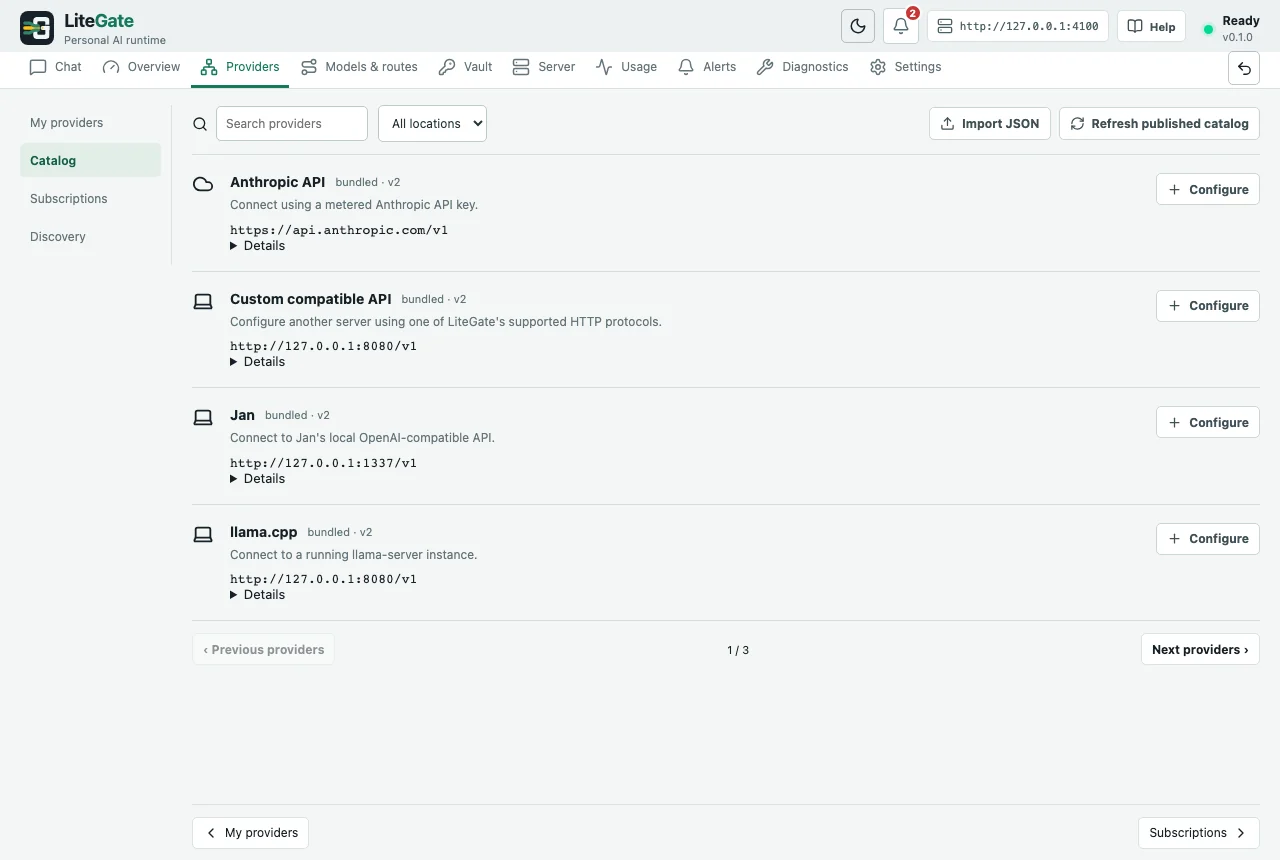
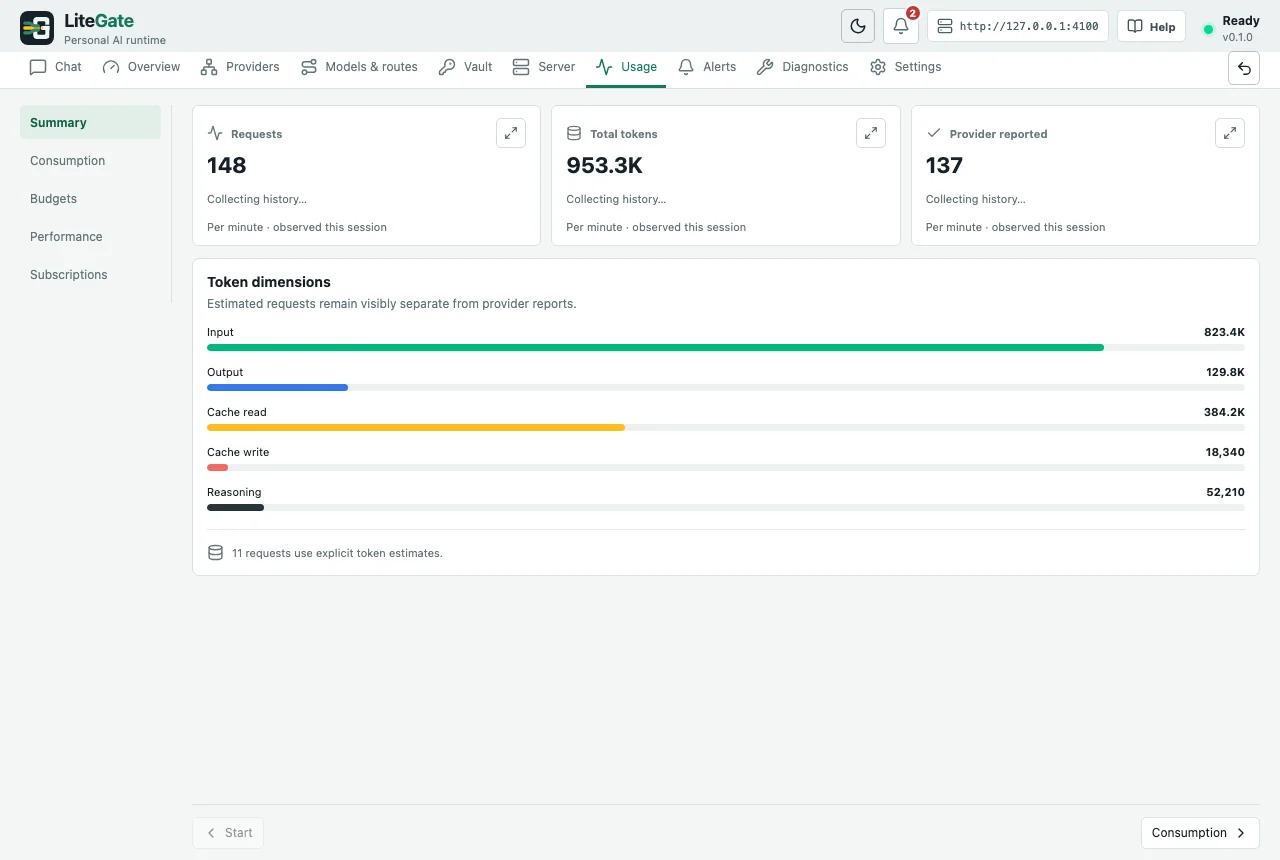
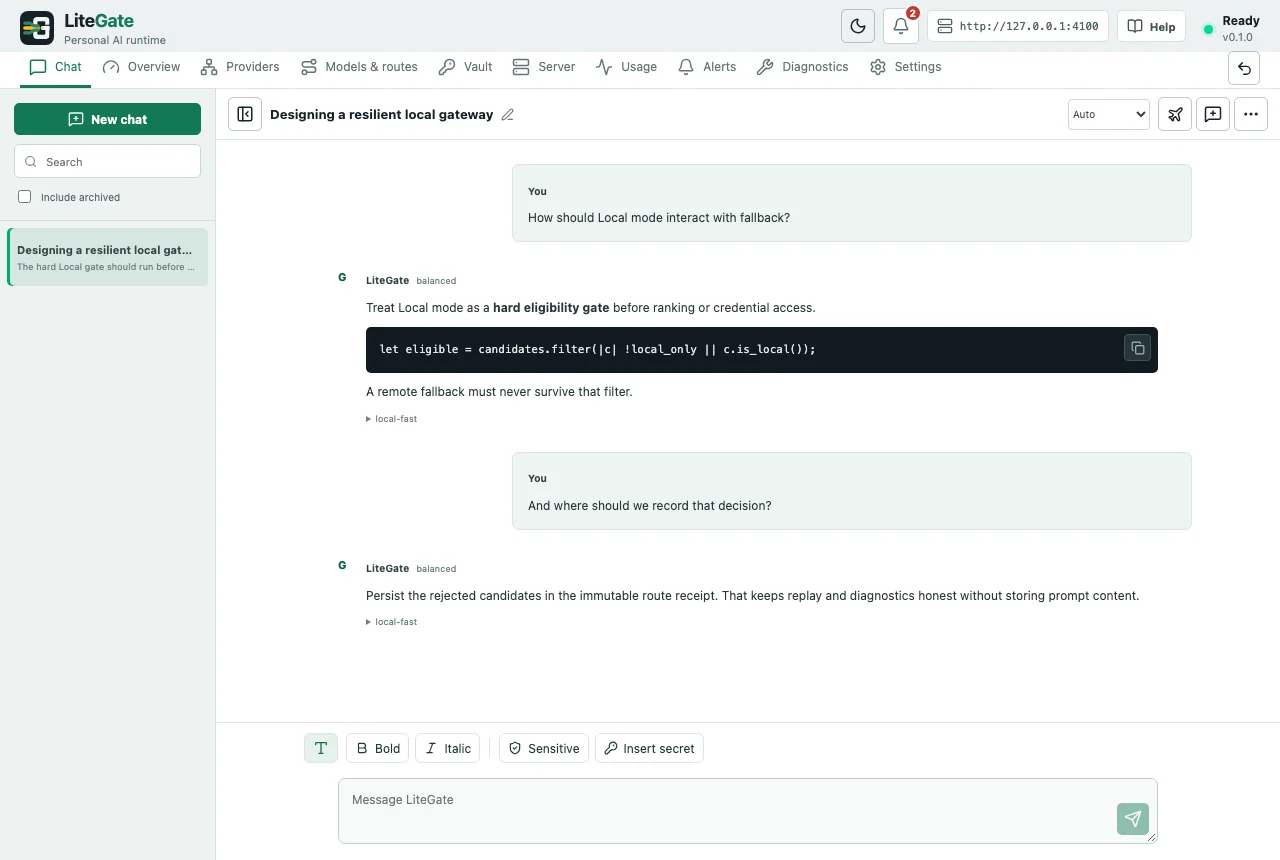
Your models, activity and conversations. One desktop app.
YOUR TOOLKIT
Open a feature to see what it brings to your workflow.
Mark sensitive text or let LiteGate detect it before a supported cloud request. Read the answer with your original information restored.
Keep working with a smaller model window. Optional compaction makes room by selecting useful passages from earlier document lookups, while keeping complete originals recoverable from the history your app supplies. Local AI helps choose what to include. Requires a compatible model; recall is not guaranteed.
Opt in to saving conversations and find decisions from earlier work. Let Chat or an authorized connected assistant consult them with references to the source.
Reuse a saved answer when the prompt, context and model settings match. Choose how long to keep it and who can reuse it. Protected requests and tools are excluded.
Bring local AI, cloud providers and compatible subscriptions together. Change your setup without reconfiguring every app.
Keep a task local, choose a specific model or let your routing rules select an eligible destination. Set an alternative for recoverable failures.
Store credentials locally and choose exactly which clients and models may receive them. Insert a secret reference in Chat without copying its value into your message.
Compare response speed and token use across models. Set token budgets for providers and models, with warnings or limits that help you stay in control.
Talk to your connected models from one workspace. Keep your history, branch a conversation and compare answers without jumping between provider apps.
Approve tools in LiteGate Chat, or let an authorized assistant consult your saved conversations and gateway activity. Decide separately who can change the routing mode.
USE CASES
The cloud receives replacements; LiteGate restores the original details in your answer.
Requirements and details →Fit selected history and document excerpts into a smaller working window, with complete original records recoverable as long as your app continues to supply that history.
Requirements and details →9 model calls avoided. Those 9 cache hits add no provider token usage.
Requirements and details →Illustrative workflows. LiteGate controls requests routed through it; client and model compatibility still applies.
MAKE IT YOURS
Built for your own work, whether you develop, research or create. Start with one provider and add the controls you need, at your own pace.